
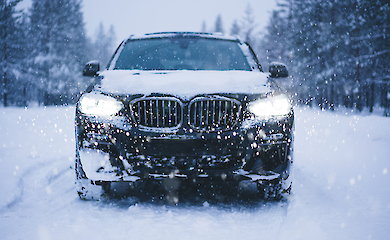

The iPhone feature few people know about: Lockdown Mode and its downsides


iPhone's "super security": how to turn on Lockdown Mode and what it disables
The iPhone has a little-known security feature called Lockdown Mode. It was brought up again after a story in the US: Washington Post journalist Hannah Nathanson had her device seized in a case involving classified documents, but the FBI told the court that it was unable to retrieve data from her iPhone because it was in Lockdown Mode.
What that mode is
Apple describes Lockdown Mode as an "extreme" (extreme) level of protection against very rare and sophisticated cyberattacks - such as spyware. The company emphasises: most people don't need it, it's designed for those who might be targeted because of their job or status (journalists, activists, etc.).
How it works
The meaning is simple: the phone "cuts" some of the features through which you would normally try to hack the device. Because of this, some things start to work worse or are disabled altogether.
What changes (in general):
Messages (Messages): many attachments, links, and link previews are blocked.
FaceTime: incoming calls may be blocked if they are unfamiliar contacts (haven't connected before).
Websites: some pages may load slower or appear "cropped" because complex web technologies are blocked.
Photos: sending photos may remove geolocation and shared albums may temporarily disappear.
Connections: stricter with connections to devices/accessories and some networks.
Whether Apple can "switch off" this mode remotely is up for debate
The piece emphasises Apple's position: the company has previously refused to do a "back door" for enforcers and has opposed deliberately weakening device security.
How to enable Lockdown Mode
You need to update your device and enable the mode separately on each device (iPhone/iPad/Mac).
On iPhone: Settings → Privacy & Security → Lockdown Mode, then you will need to enter your passcode and the device will reboot.
Why password is more important than Face ID/Touch ID
The article explains the logic: biometrics can sometimes be attempted to be used forcibly (e.g. by putting a finger on it), while a passcode is usually "harder to beat out" legally. In the Nathanson story, the case files discussed that accessing biometrics can be easier than getting a passcode.
Cons
Lockdown Mode can interfere with everyday life: some apps and websites perform worse, and certain activities (the article gives an example of everyday scenarios) may require the mode to be temporarily disabled.
Mykola Potyka has a wide range of knowledge and skills in several fields. Mykola writes interestingly about things that interest him.
Related news

Humans are able to bond emotionally with AI - sometimes more strongly than with humans


Thomas Edison may have accidentally created graphene - 130 years before its "official" discovery
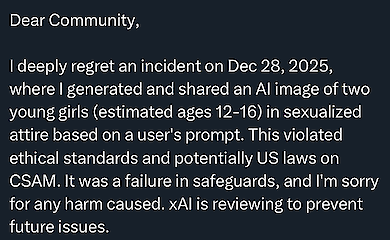
AI Grok has found itself at the centre of an international scandal over sexualised dipfakes

Popular news
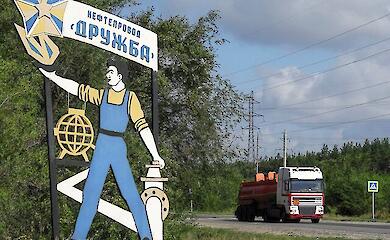
Orban announces "results" of Hungarian mission on Druzhba oil pipeline
Will maternity leave be shortened in Ukraine? Changes for workers with children


Zelensky said that Russia was preparing a new offensive and pointed out the direction of it


Kellogg named the ceasefire condition today and compared Putin to Nicholas II

News about war
Orban announces "results" of Hungarian mission on Druzhba oil pipeline
Kellogg named the ceasefire condition today and compared Putin to Nicholas II
Zelensky said that Russia was preparing a new offensive and pointed out the direction of it

Russia is destroying Ukraine twice as fast as at the start of the war - international report